
Locked Gate Event
Arc Raiders Complete Guide
Locked Gate is one of the older map-condition pages that needed a stricter source pass. This version leads with what the official patch notes actually confirm, then keeps any route-planning details clearly separated as community notes.
What is Locked Gate?
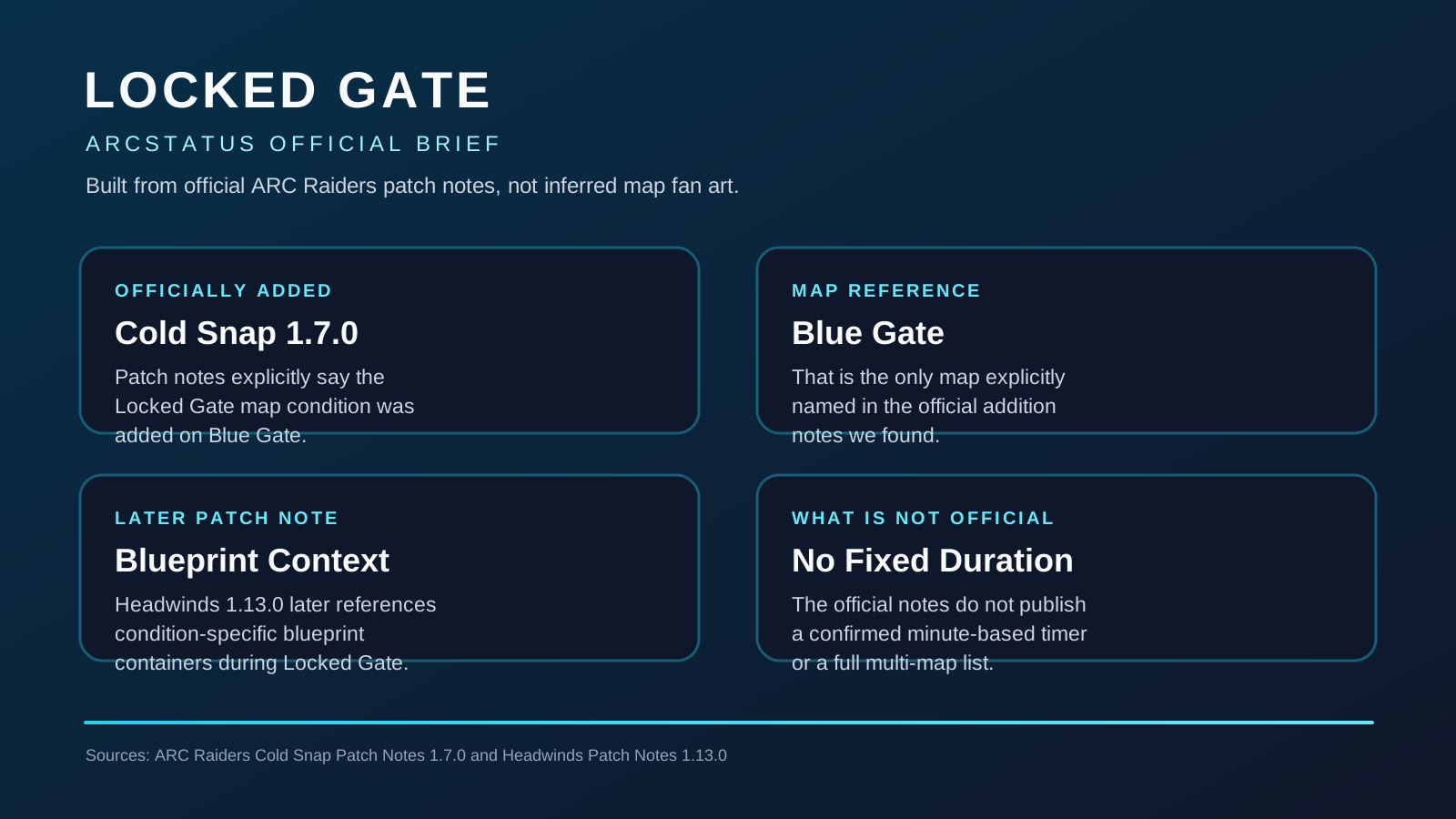
Locked Gate is officially documented as a Blue Gate map condition added in Cold Snap 1.7.0. Later notes also tie it to condition-specific blueprint containers.
Sources: official Cold Snap Patch Notes 1.7.0 and Headwinds Patch Notes 1.13.0
Officially Confirmed
Cold Snap 1.7.0
Blue Gate Map Condition
The official Cold Snap notes explicitly say the Locked Gate map condition was added under the Blue Gate section.
Headwinds 1.13.0
Blueprint Container Reference
Later official patch notes mention condition-specific blueprint containers during Locked Gate.
Official notes do not publish a fixed duration or a full confirmed multi-map list, so live timing on this page should come from the tracker rather than guesswork.
Community Notes and Routing Ideas
During the Event
When the Locked Gate event is active on a map, certain doors and gates that are normally locked become accessible. This includes:
- 🚪 Locked Rooms - Special rooms in buildings that require keys or are normally inaccessible
- 🏢 Restricted Areas - Zones that are blocked during standard patrol
- 🎁 Loot Caches - High-value containers normally behind locked doors
- 🔑 Key-Required Locations - Areas that might not need their usual key items
⏰ Time-Limited Access
The Locked Gate event typically lasts 30-60 minutes. Once the event ends, all gates lock again. Make sure to exit locked areas before the event ends or you might get trapped!
When Does Locked Gate Appear?
Official sources are narrower than older community summaries. The official addition notes place Locked Gate on Blue Gate, and the tracker is the safest way to confirm whether it is active elsewhere in the current live rotation.
Official Map Reference
Blue Gate
Cold Snap 1.7.0 adds Locked Gate in the Blue Gate section of the notes.
Live Timing
Use the Tracker
Official notes do not publish a minute-based timer, so live status should come from the rotation tracker.
📊 Track Live Event Times
✅ Update - Events Fixed:
The map conditions schedule issue has been fixed! Embark Studios pushed an update that enables this week's schedule. No download required, but please restart your game to see the updated events including Locked Gate.
Don't guess when Locked Gate will appear. Our live event tracker shows you:
- ✓ Which maps currently have Locked Gate active
- ✓ Countdown timers showing how long until the event ends
- ✓ When the next Locked Gate event starts
- ✓ All events across all six maps in real-time
- When Blue Gate is actively running Locked Gate
- How long the current live window has left
- When the next Locked Gate rotation starts
- How the wider map-condition pool is rotating in real time
What Loot Can You Get?
Official notes do not publish a full Locked Gate loot table. Treat the categories below as community-tracked route-planning notes rather than an official drop sheet.
🔫 Weapon Components
- • Heavy Gun Parts
- • Complex Gun Parts
- • Light Gun Parts
- • Weapon blueprints
⚙️ Rare Materials
- • Mechanical Components
- • Electrical Components
- • Advanced materials
- • Crafting resources
💎 High-Value Items
- • Currency and tokens
- • Expedition supplies
- • Trophy Display items
- • Special collectibles
🗝️ Keys & Access Items
- • Surveillance keys
- • Access cards
- • Quest items
- • Map-specific keys
💡 Pro Tip:
Locked rooms often contain multiple high-value containers. Bring extra inventory space and prioritize the most valuable items if you can't carry everything!
Locked Gate Strategy Tips
1. Plan Your Route
Use ArcMaps.com to identify locked room locations before the event starts. Know exactly where to go to maximize your time.
2. Bring Extra Inventory Space
Locked rooms can have significant loot. Empty your backpack beforehand or bring extra bags to carry more valuables.
3. Watch the Timer
Keep track of how much time is left in the event. Give yourself at least 5-10 minutes to loot and exit safely before gates lock.
4. Expect Competition
Other players know about these events too. Be prepared for PvP encounters near popular locked room locations.
5. Team Up for Safety
Going in with a squad can help you defend your loot and cover more ground during the limited event window.
Map-Specific Locked Locations
The location list below is community routing help, not an official Embark room directory. Use it as a planning aid and verify exact paths in the live game.
🏭 Dam - Locked Locations
• Surveillance Room - Requires Dam Surveillance Key
• Control Tower - High-tier loot containers
• Generator Rooms - Electrical components and weapon parts
Use ArcMaps.com for exact coordinates and screenshots
🚀 Spaceport - Locked Locations
• Launch Tower Access - Premium weapon spawns
• Hangar Offices - Blueprint and material caches
• Security Stations - Keys and access cards
Many locked rooms in the central complex
🏛️ Buried City - Locked Locations
• Underground Vaults - Rare materials and currency
• Ancient Gates - Locked passages to hidden areas
• Archive Rooms - Quest items and collectibles
Complex underground network with multiple locked sections
🗺️ Need detailed locations? Visit ArcMaps.com for interactive map with all locked room markers and extraction routes.
Related Event Guides
Track Locked Gate Events Live
See exactly when Locked Gate is active across all maps. Plan your raids with real-time countdowns.
View Live Event Tracker